macOS
You get a bar drawn by the same renderer as every other platform, with live AeroSpace workspaces and click-to-switch. It stays put across workspace switches and is never tiled.
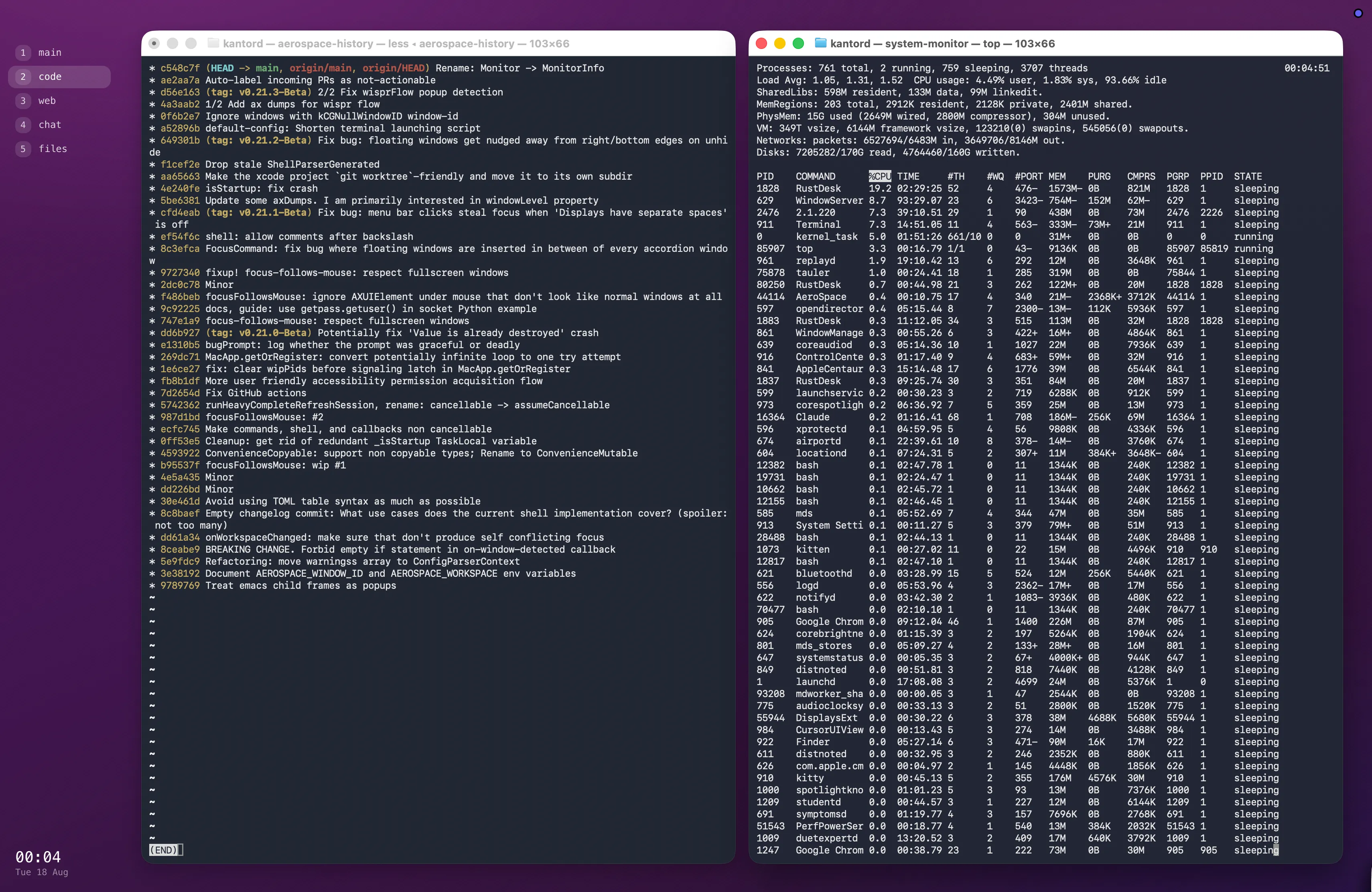
The rail is a tauler panel; the gradient behind it is a tauler <wallpaper>. Everything
between them is AeroSpace tiling ordinary windows.
1. Install
Section titled “1. Install”AeroSpace must be 0.21.0-Beta or newer — older builds have no aerospace subscribe,
which is what drives the bar.
brew install --cask aerospaceaerospace subscribe --help          # a usage line means you are new enough
cargo install --path .              # taulercargo install --path tauler-aerospace
If subscribe prints Unrecognized subcommand, run brew upgrade --cask aerospace.
2. Copy the example
Section titled “2. Copy the example”examples/macos-aerospace
is a small dotfiles repo — a home/ tree you copy over your own. It configures both halves,
because a desktop is more than a bar.
home/.config/tauler/layout.op.mdx the rail, theme and fonthome/.config/aerospace/aerospace.toml the space the rail sits inRead it first: the AeroSpace config is a minimal one and will replace yours.
git clone https://github.com/kantord/taulercd tauler/examples/macos-aerospacecp -r home/. ~/3. Set the one manual number
Section titled “3. Set the one manual number”AeroSpace lays windows out inside NSScreen.visibleFrame. The rail has to start at the
same offset, or the two will not line up. This prints every value you need:
osascript -l JavaScript -e 'ObjC.import("AppKit"); var s = $.NSScreen.mainScreen; var i = s.frame.size.height - s.visibleFrame.size.height; ["layout.op.mdx: MENU_BAR = " + i, "aerospace.toml: inner.horizontal = " + Math.round(i / 2), "aerospace.toml: inner.vertical = " + Math.round(i / 2), "aerospace.toml: outer.top = 0", "aerospace.toml: outer.bottom = " + i, "aerospace.toml: outer.right = " + i, "aerospace.toml: outer.left = " + (148 - 10 + i)].join("\n")'Paste those values in, then:
aerospace reload-configtaulerYou should get a gradient across the whole screen, a rail of workspace pills down the left, and your tiled windows floating inside it.
Why it is shaped like that
Section titled “Why it is shaped like that”The top inset is usually not the menu bar. On a notched Mac it is the camera housing,
and it is reserved whether the menu bar is hidden or not — auto-hiding buys you almost
nothing there. gaps.outer.top stays 0 because the inset is already outside
visibleFrame; a value there is added to it and doubles the top margin.
The left reservation subtracts the rail’s padding. The rail has no background of its own, so it appears to end where the pills end rather than at its true edge. Reserving the full width would read as a wider margin on the left than on the other three sides.
The bar is never tiled, and needs no rule to make that true. AeroSpace decides what to
manage from the window itself — it wants a close, fullscreen, zoom or minimize button, or a
standard accessibility subrole. tauler runs as an accessory application with no Dock icon,
so AeroSpace never sees its windows and never moves them. An [[on-window-detected]] rule
with layout floating looks like the fix and is not: floating windows still belong to a
workspace, and still vanish when you leave it.
The rail cannot cover a visible menu bar. winit maps its topmost window level to
kCGFloatingWindowLevel (3); the menu bar sits at 24.
Workspace data
Section titled “Workspace data”tauler-aerospace writes one JSON line whenever anything changes:
{"workspaces": [ {"name": "1", "focused": true, "visible": true, "urgent": false, "focused_windows": ["Claude", "Downloads"], "apps": ["Claude", "Finder"]}]}Field names match tauler-i3’s, so
a workspace strip written for i3 renders unchanged. Two differences: urgent is always
false (AeroSpace has no urgency hint), and apps is extra — the app names on that
workspace, deduplicated, since per-workspace app icons are the usual AeroSpace bar idiom.
Switching is an intent, delivered by clicking:
const aero = useEvents("~/.cargo/bin/tauler-aerospace");
<div on_click={[aero.switchWorkspace({ workspace: ws.name })]}>…</div>
See Data sources for how intents and modules work in general.
Making it look like one application
Section titled “Making it look like one application”The example paints a full-screen <wallpaper>, then paints the same gradient inside the
rail, offset so the two line up. With no border and no plate, the pills appear to sit
straight on the desktop and the tiled windows read as the main pane of a single app.
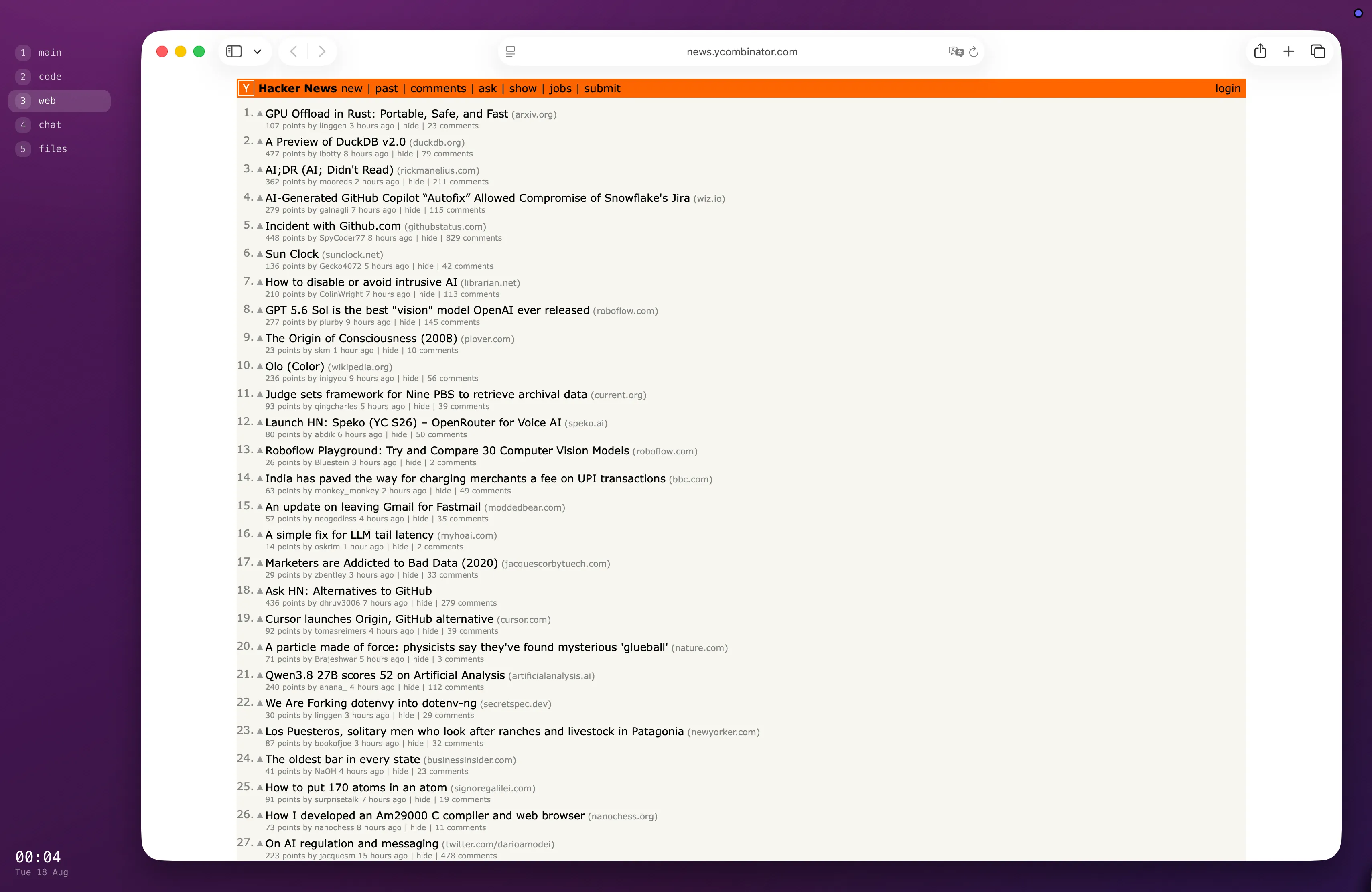
The offset is necessary rather than clever: the macOS backend presents opaque pixels, so a panel cannot truly be transparent. Painting the backdrop it would have shown through is exact for a gradient, because the same declaration produces the same pixels.
function Backdrop({ x, y }) { return ( <div style={{ position: "absolute", left: -x, top: -y, width: ctx.screen_width, height: ctx.screen_height, backgroundImage: GRADIENT, }} /> );}A wide gradient crosses few enough levels per channel that 8-bit output bands visibly. The example fights that three ways: two 1px hatches at odd angles under 2% alpha, radial glows whose bands run across the linear ramp’s, and a ramp that travels in hue as well as brightness.
Reporting problems
Section titled “Reporting problems”Please do — with your AeroSpace version (aerospace --version), your aerospace.toml, and
your layout file. Issues.